

Every online store owner eventually hits the same wall. Paid ads get more expensive every quarter, algorithms shift without warning, and growth starts to feel like it’s out of your hands. Content marketing for ecommerce is the one channel that gets cheaper and more powerful the longer you invest in it, because instead of renting attention, you’re building an audience you actually own.
This guide covers what ecommerce content marketing really is, why it matters specifically for online stores, and how to build a simple system for content that drives sales not just traffic.
What you’ll learn:
- What Ecommerce Content Marketing Actually Is
- Why It Matters for Online Stores
- Types of Content That Sell
- Building a Content Strategy, Step by Step
- Making Your Content Findable
- Common Mistakes to Avoid
- Tools to Get Started
What Ecommerce Content Marketing Actually Is
Content marketing means creating genuinely useful content blog posts, videos, guides, emails that earns a customer’s attention instead of interrupting it. Rather than paying for every eyeball with an ad, you publish something valuable enough that people find it, share it, and come back for more.
For a store owner, that might be a buying guide, a behind the scenes video of how your product is made, or a simple blog post answering the question your customers keep emailing you about.
The best content doesn’t feel like marketing. It feels like help.
Why Content Marketing Matters for Online Stores
Ecommerce is crowded. Anyone can list a product; not everyone can build trust. Content is how you do that at scale:
- It builds trust before the sale. A useful guide answers objections before a customer even reaches checkout.
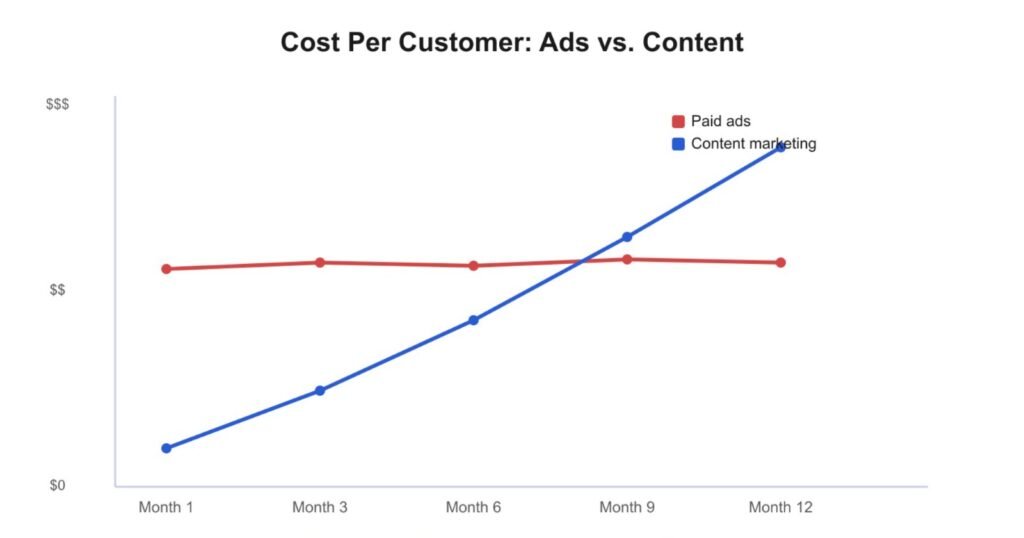
- It compounds. A blog post you write once can bring in traffic for years, unlike an ad that stops the moment you stop paying.
- It improves SEO. Search engines reward sites that consistently publish helpful, relevant content.
- It lowers customer acquisition cost. Organic traffic from content is essentially free once it’s ranking.
3 Types of Content That Actually Sell
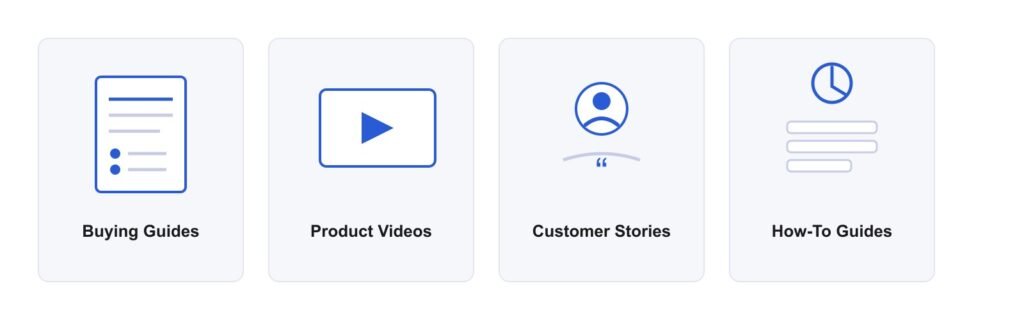
Not all content converts equally. For an online store, these formats tend to perform best:
Buying Guides & Comparisons
“How to choose the right product” content captures shoppers at the exact moment they’re deciding what to buy.
Product-in-Use Content
Photos, short videos, or posts showing your product actually being used solve the “what will this look like for me?” problem.
Customer Stories
Real testimonials and case studies do more to build trust than any ad copy you could write yourself.
Educational Content
Content that helps customers get more value out of what they already bought care instructions, styling tips, setup guides keeps them coming back.
Building a Content Strategy, Step by Step
Step | What to Do |
1. Know your audience | List the top 10 questions customers ask before buying. That’s your content backlog. |
2. Audit what exists | See what competitors already rank for then create something more useful. |
3. Pick your formats | Start with 1 to 2 formats you can sustain weekly rather than spreading thin . |
4. Set a publishing rhythm | Consistency beats volume. One solid post a week outperforms five rushed ones a month. |
5. Promote, don’t just publish | Share every piece across email, social, and product pages don’t rely on search alone. |
6. Measure and refine | Track which pieces bring traffic that actually converts, and double down there. |
Quick tip: If you only have time for one thing, write buying guides for your best selling products. They rank well, answer real objections, and sit closest to the sale.
Making Your Content Findable
Great content that nobody finds doesn’t help your store. A few SEO basics go a long way:
- Target one clear keyword or question per page, don’t try to cover everything at once.
- Use descriptive, keyword-rich headings.
- Add internal links from blog posts to relevant product pages.
- Write an image alt text that describes what’s actually in the photo.
- Keep page load speed fast: compress images and avoid bloated page builders.
Common Mistakes to Avoid
- Publishing inconsistently. A burst of five posts followed by three months of silence rarely builds momentum.
- Writing for search engines instead of people. Keyword stuffed content reads badly and converts worse.
- Ignoring distribution. Publishing is only half the job, sharing it is the other half.
- Never repurposing. One good blog post can become an email, three social posts, and a video script.
Tools to Get Started
- Keyword research: Google Search Console, Ubersuggest, or AnswerThePublic to find what customers are actually searching.
- Writing & editing: Grammarly or Hemingway Editor to keep content clear and readable.
- Design: Canva for quick graphics and social versions of your content.
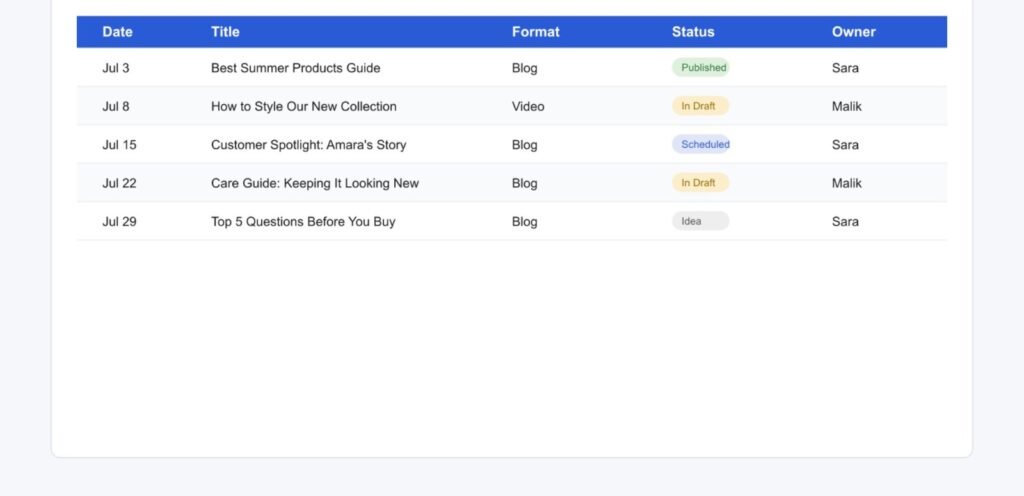
- Scheduling: A simple content calendar to keep publishing consistent
Final Thoughts
Content marketing isn’t a quick win, it’s a compounding one. The store that publishes one genuinely useful piece of content a week will, within a year, own search rankings, customer trust, and a library of assets that a competitor’s ad budget can’t easily replicate.
Start small: pick your three best selling products, write one honest buying guide for each, and build from there.